
Introduction
Ad Manager Connect allows you to add category information to brands, allowing you to be able to ensure clients are not placed at locations they should not be, as well as to avoid line of sight issues.
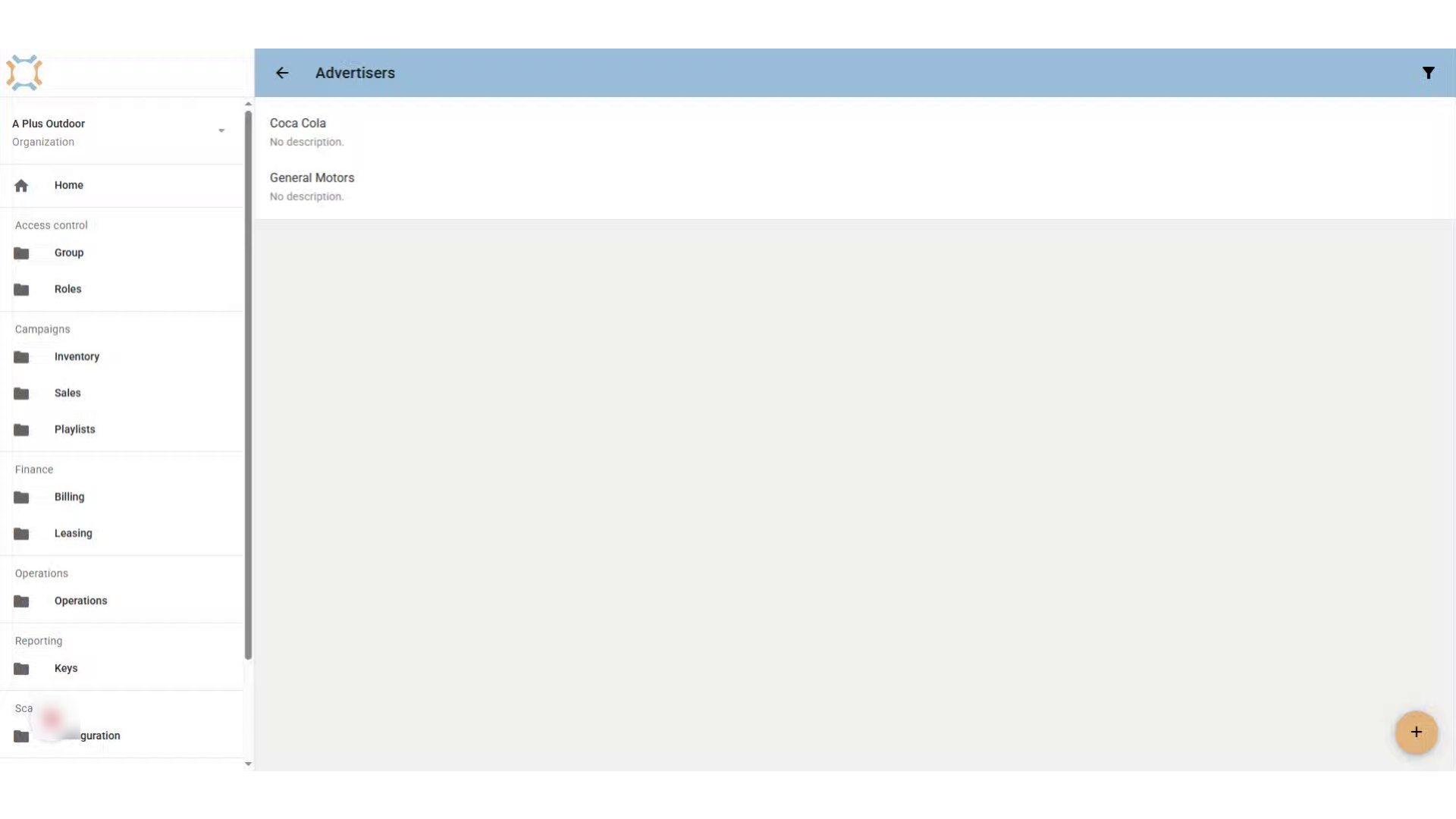
Click the Advertiser associated with the Brand.
When in the Advertiser's section, click on the advertiser that the brand is associated with.
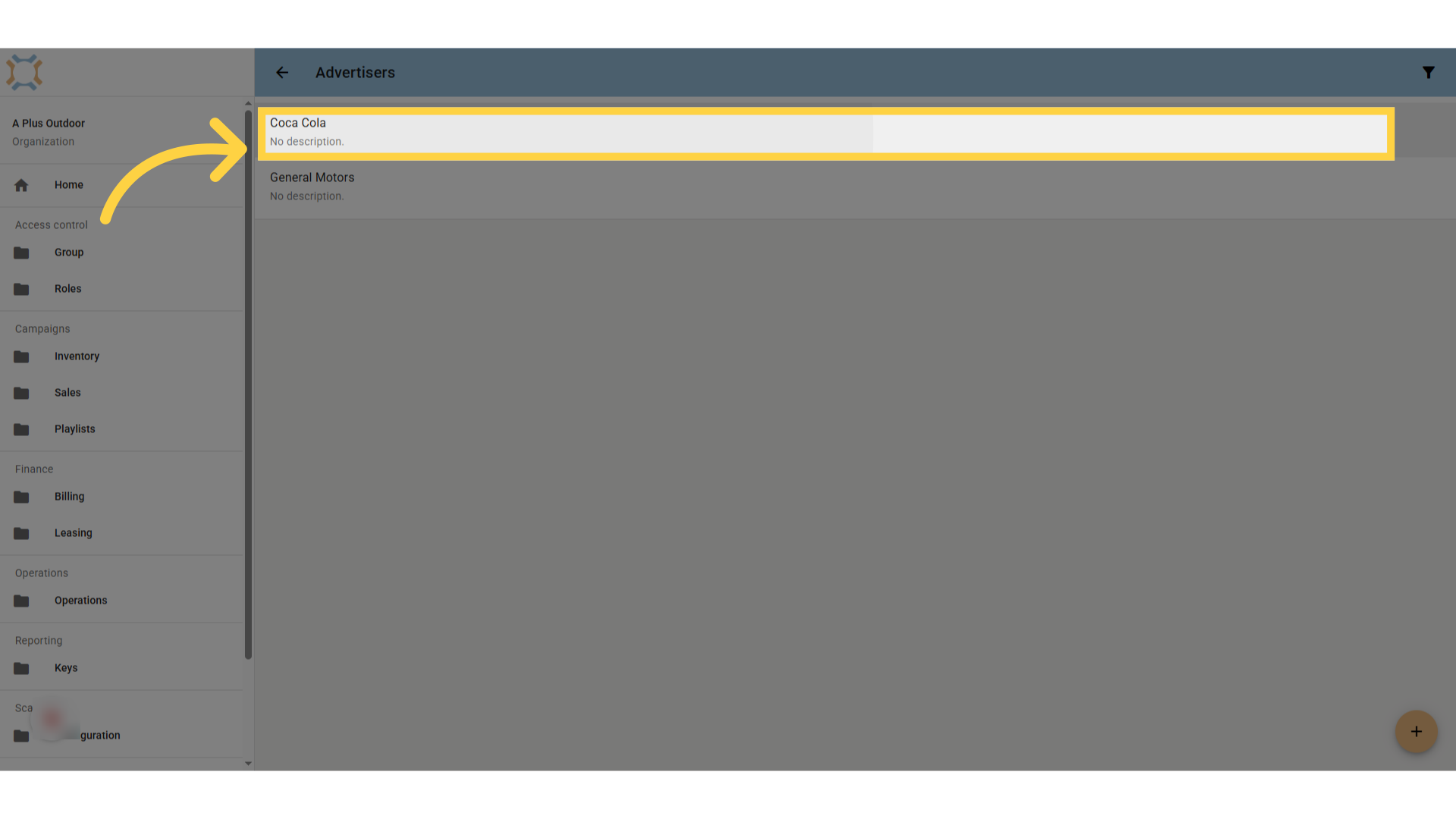
Click "Brands"
Click on the Brands tab for the advertiser to see a listing of brands.
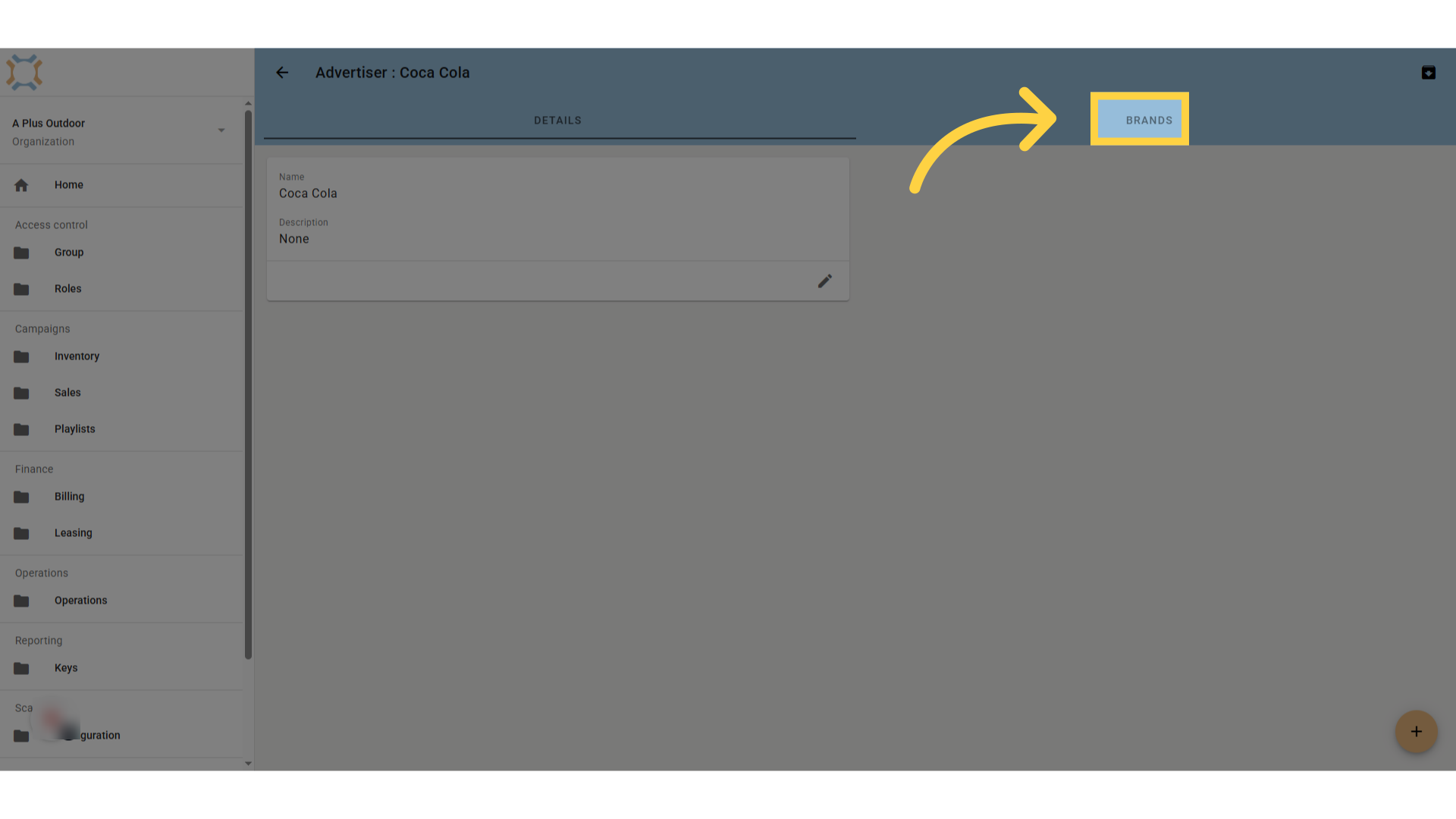
Introduction
Select the brand you wish to add a category to.
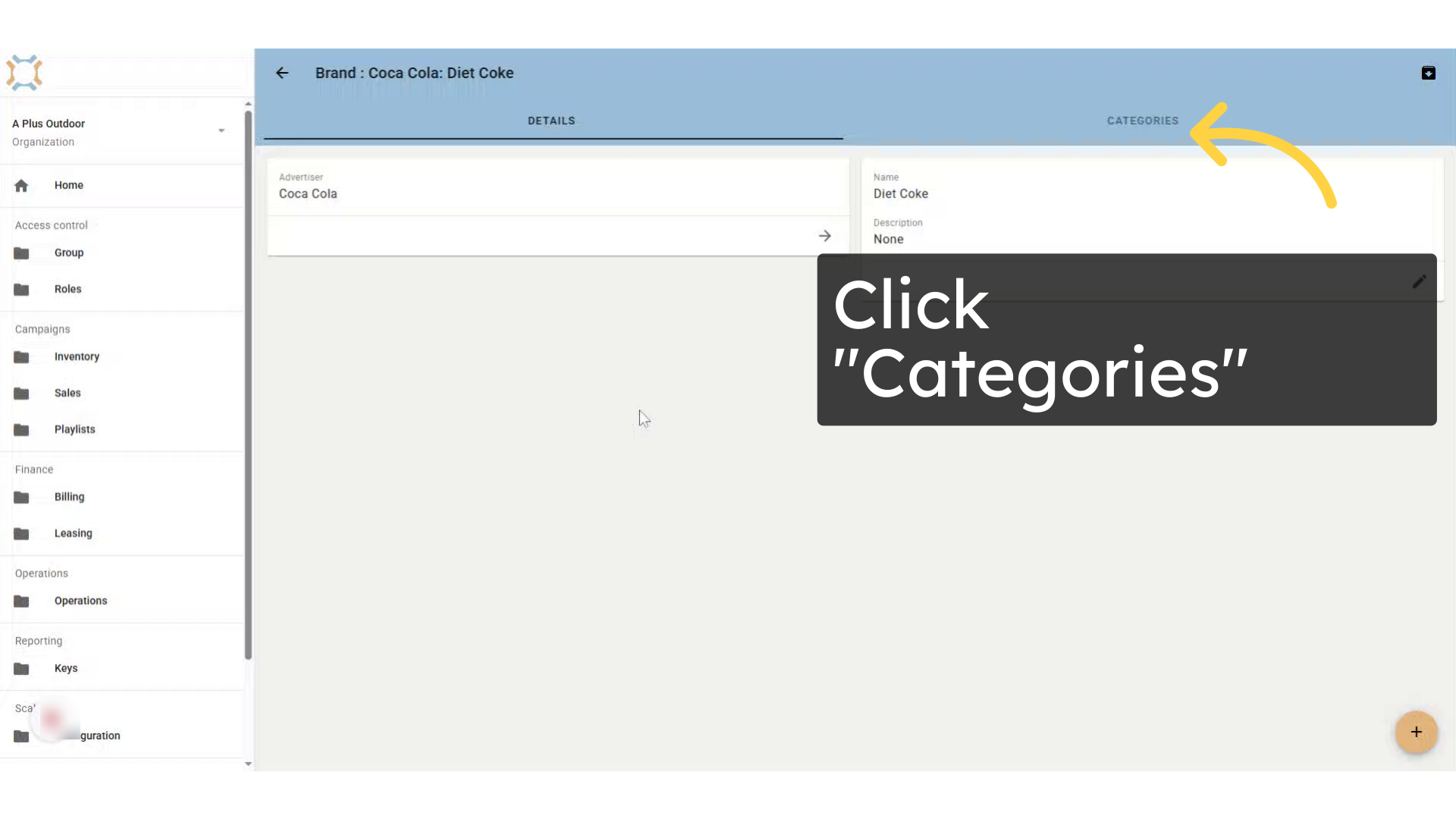
Click "Categories"
Click Categories to see a listing of all categories associated with this brand.
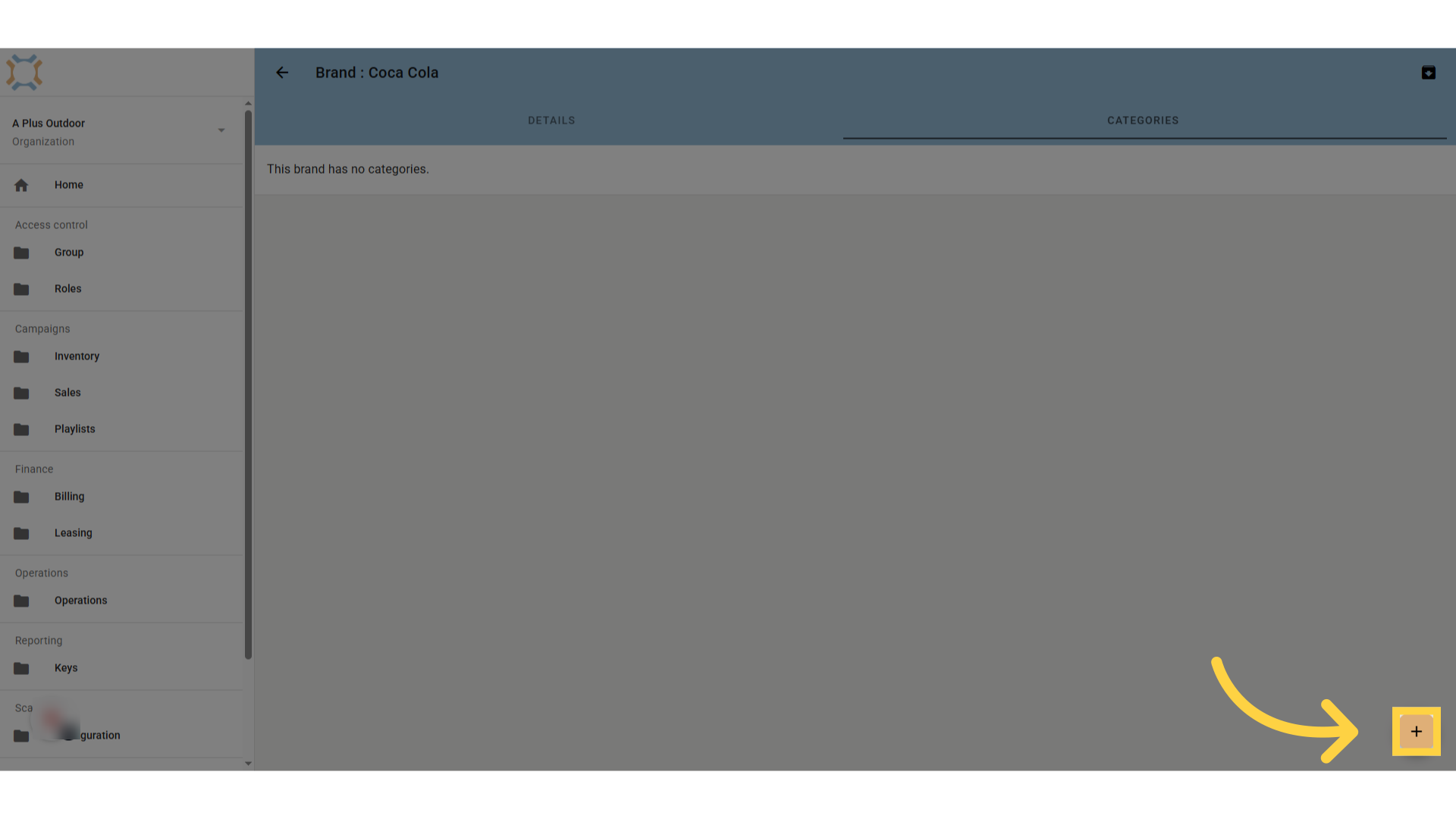
Click "add"
To add a category, click the Add button
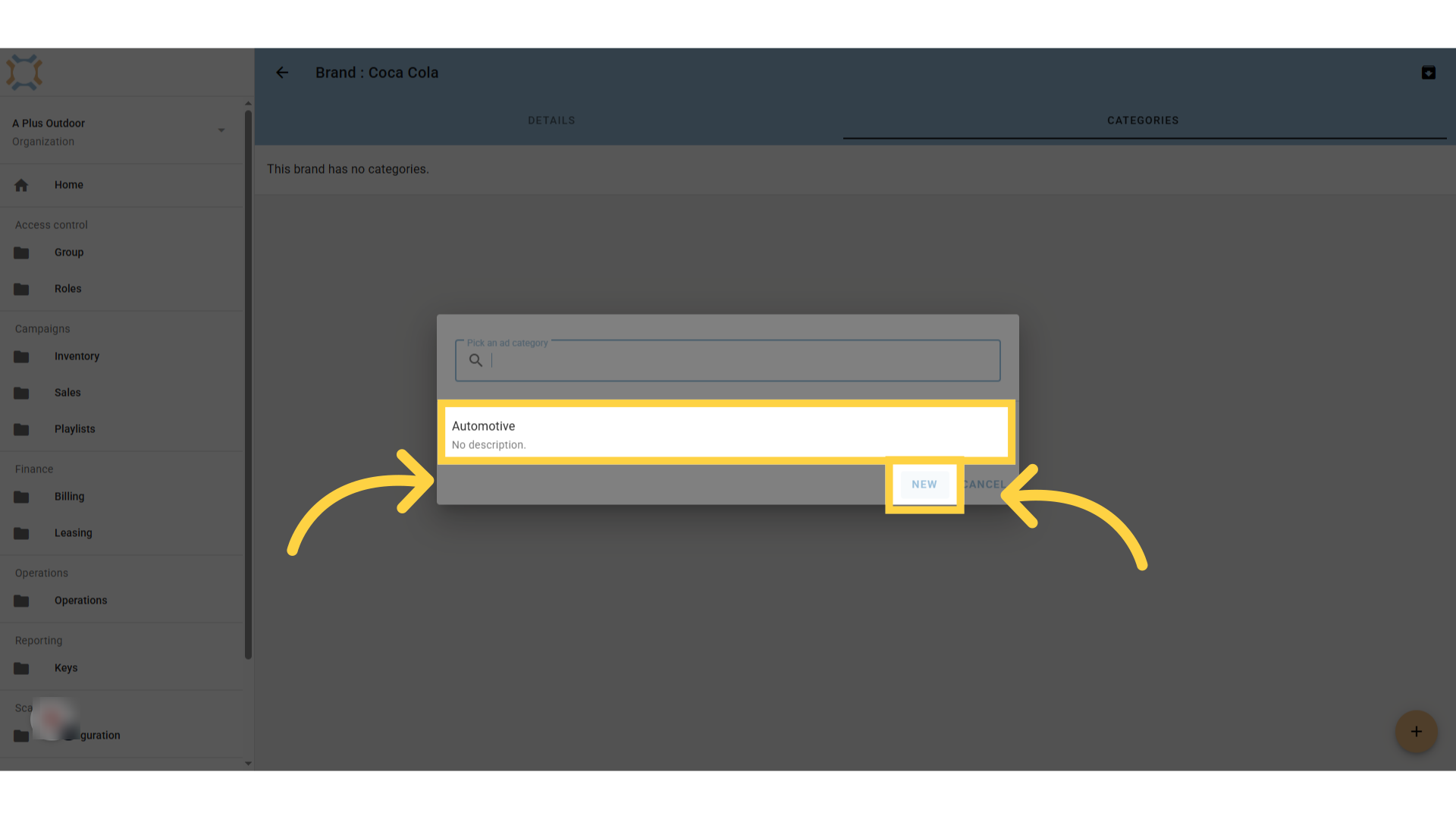
Select an existing Category, or click "New" to add a new Category
Select the category you wish to add to this brand from the list, or click New to add a new category if it doesn't already exist.
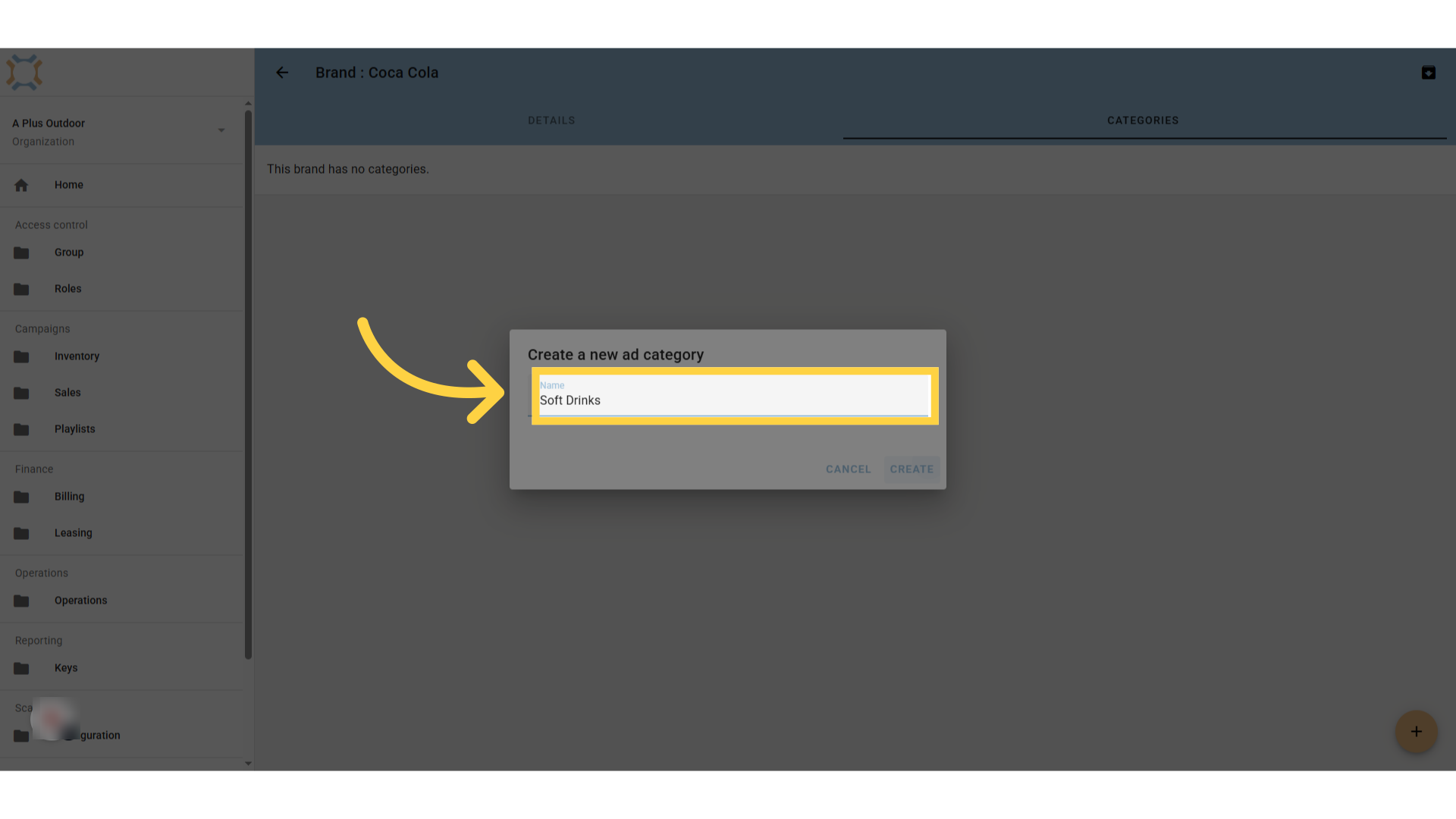
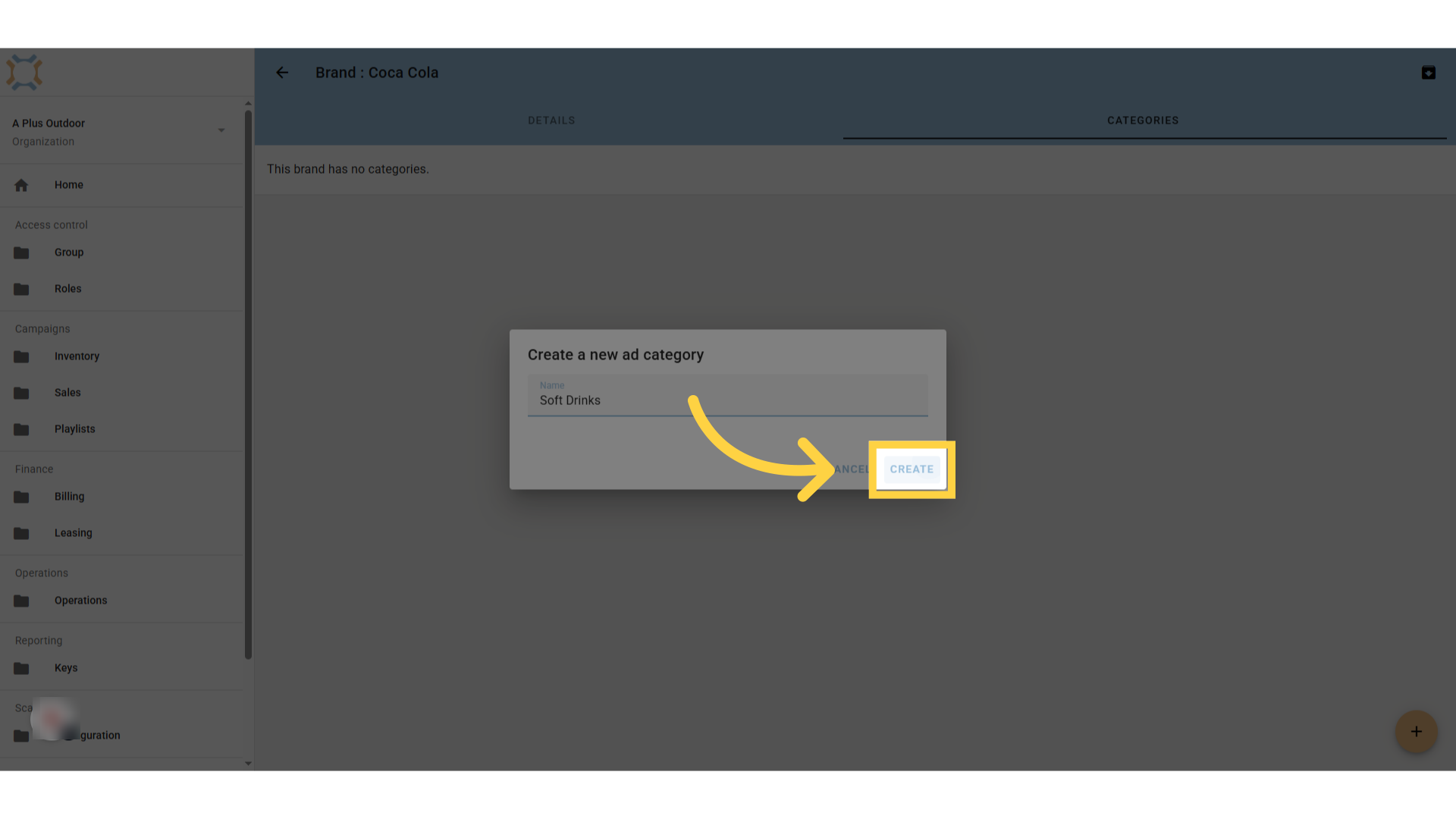
Enter Category Name
If this is a new category, enter the category name.
Click "Create"
Click Create to add the new category to the brand.
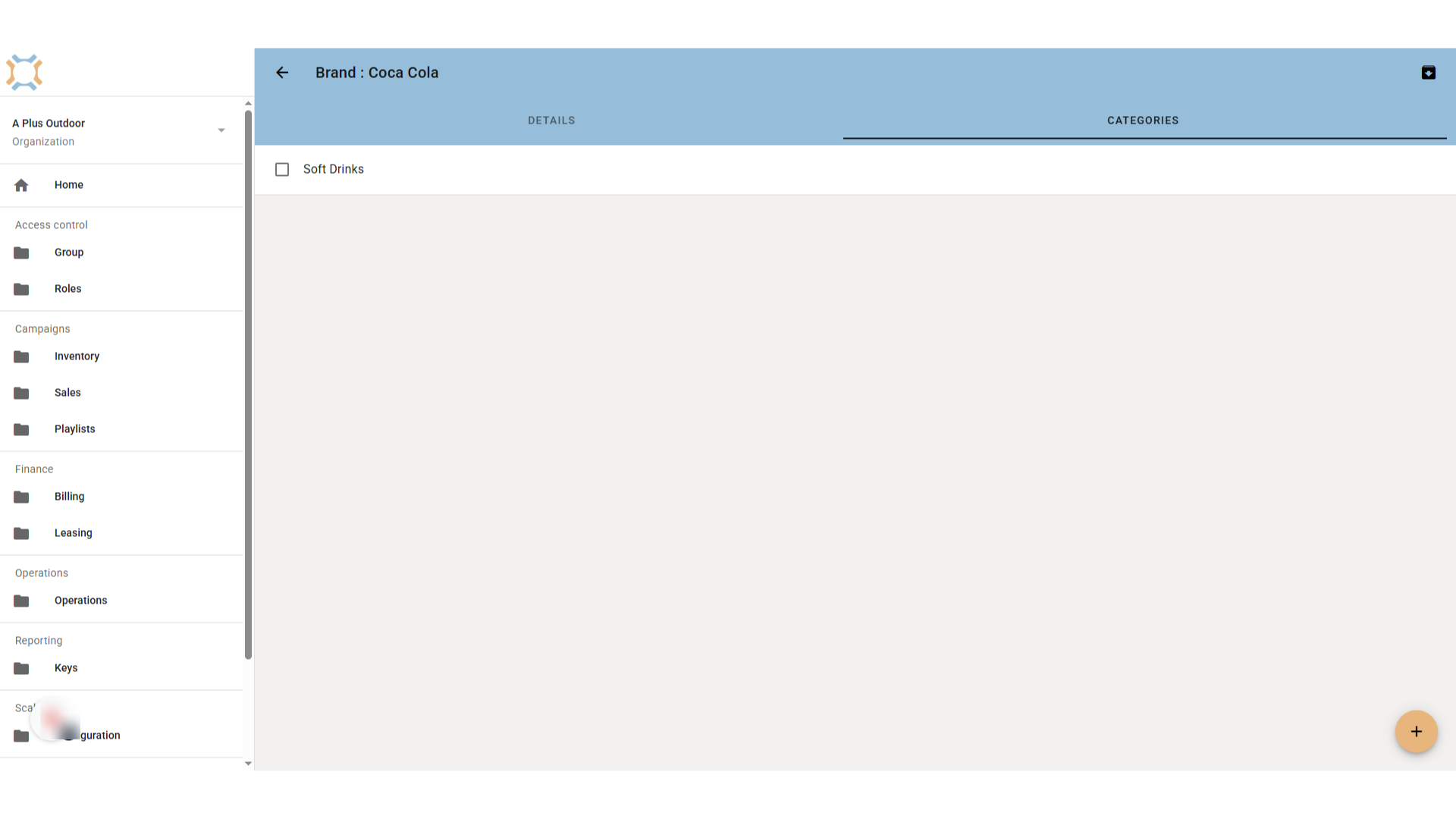
Add more categories
If you wish to add more categories for the brand, repeat these steps.
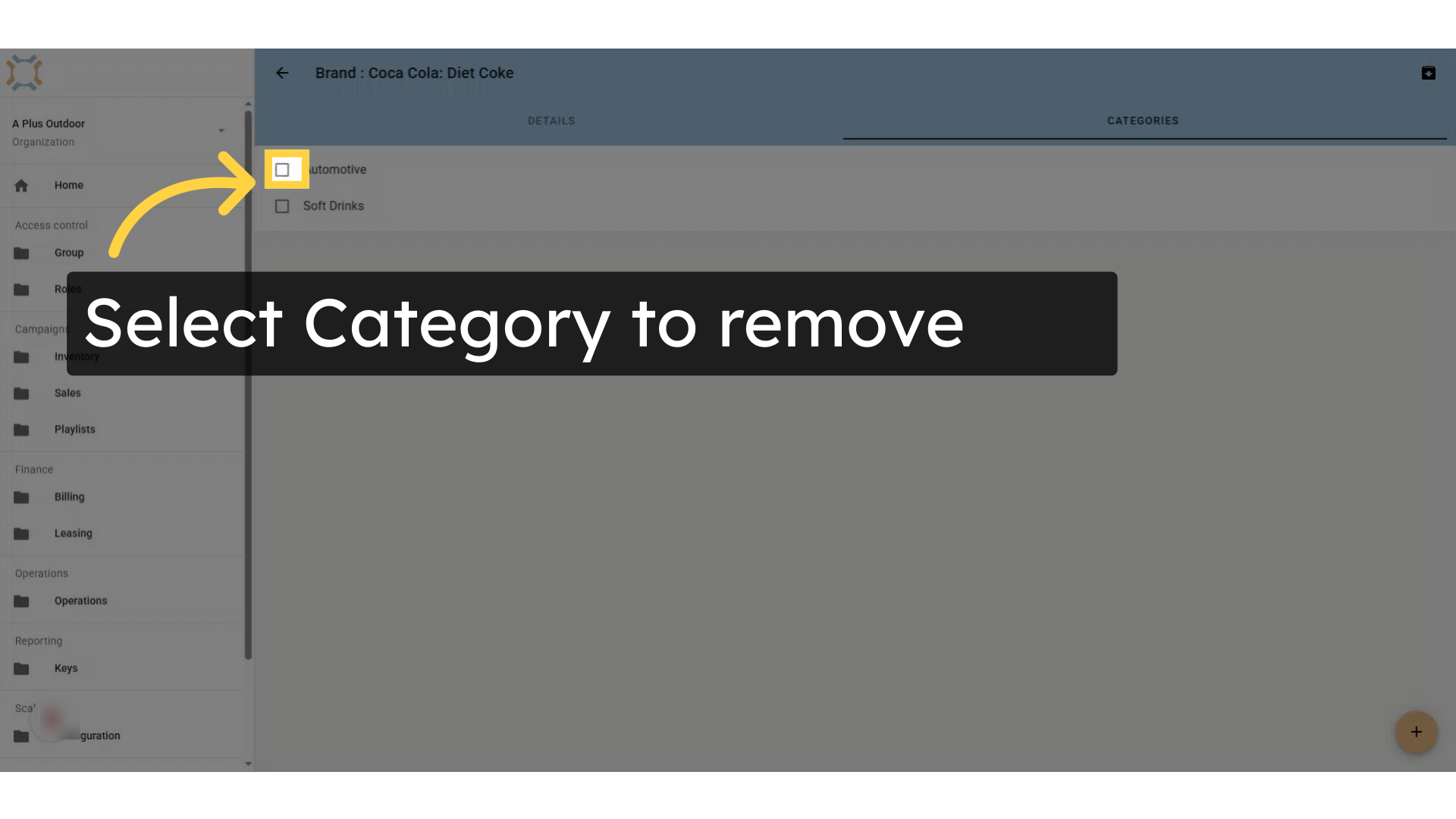
Select Category to remove
If you wish to remove a category from the list of categories associated with this brand, click on the check box next to the category name.
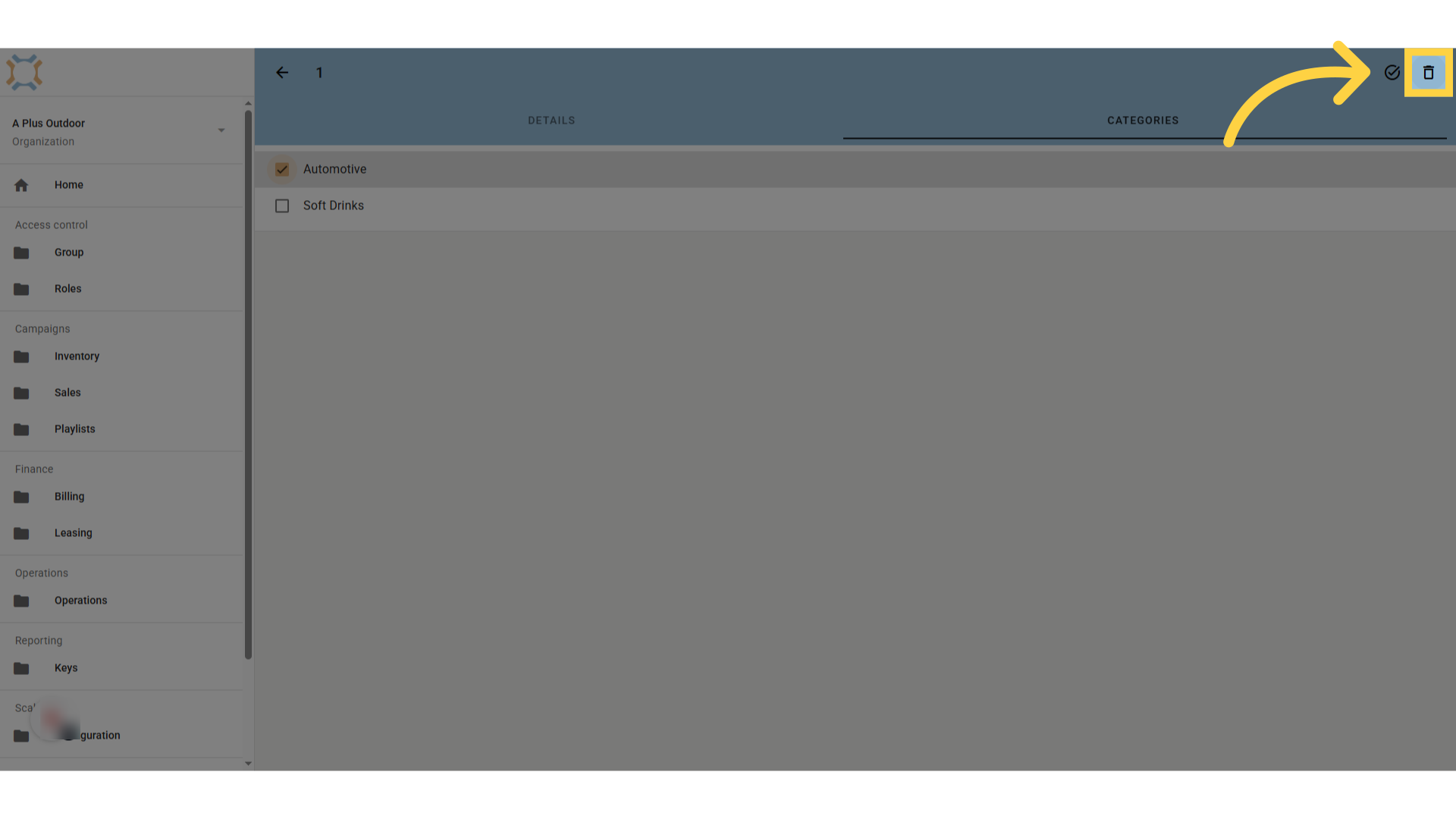
Click "delete"
After selecting the category or categories you wish to remove, click delete.
Comments
0 comments
Please sign in to leave a comment.