

1. Installing the Operations App
Learn how to install the Ad Manager Connect Operations app onto your Android phone or tablet with these straightforward steps.
2. Get the website URL
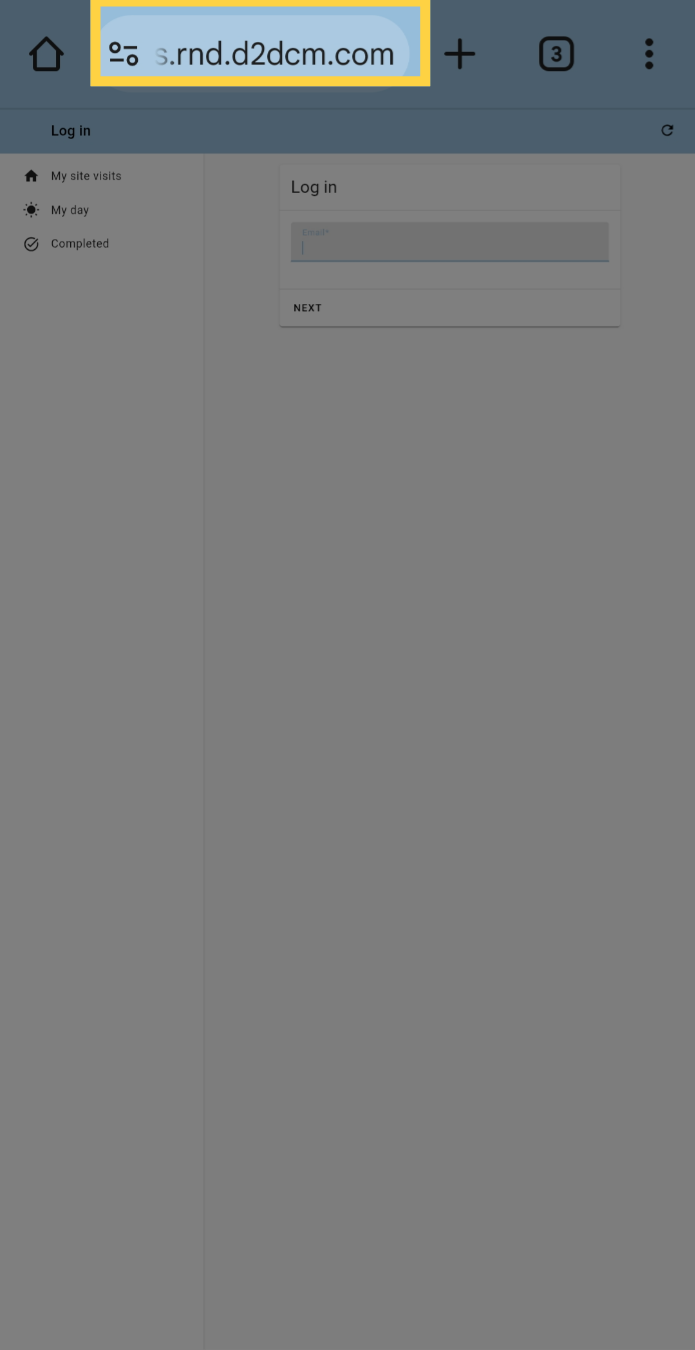
Get the website U.R.L. for the Operations app from your Ad Manager Connect administrator and enter it into the address bar.
3. Access the menu
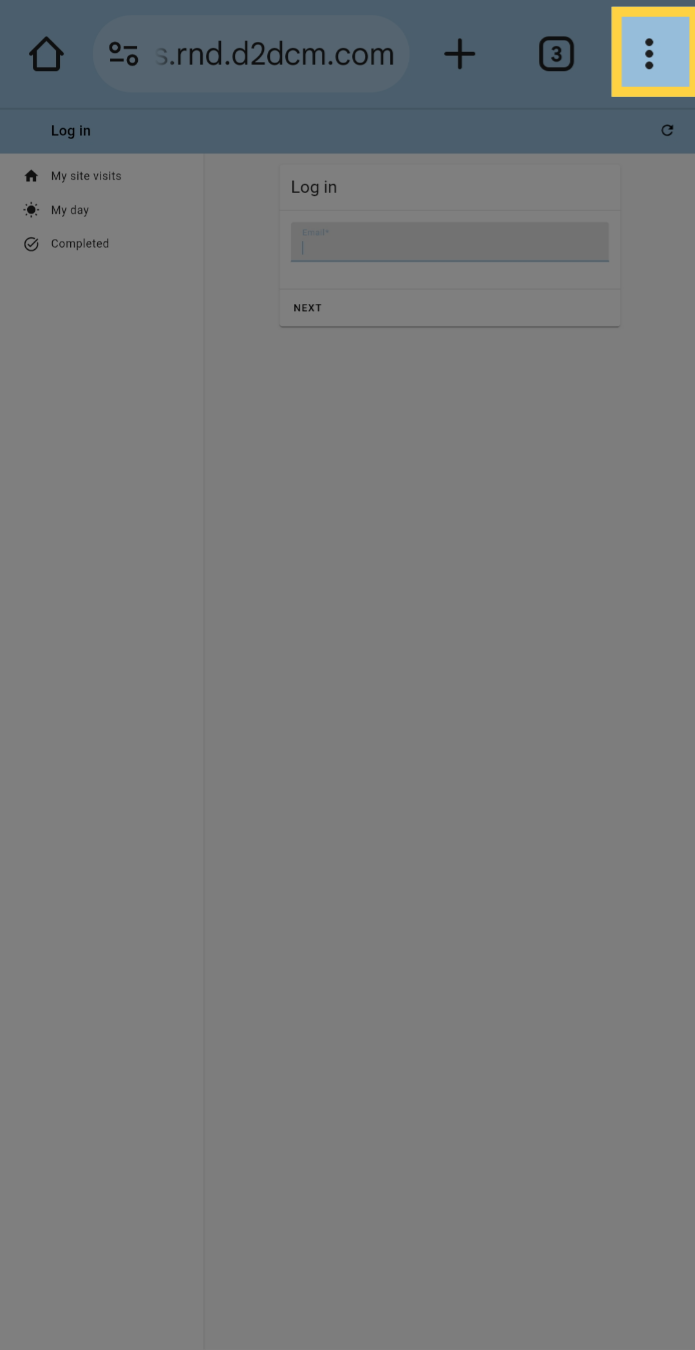
Click the three dots menu button
4. Add to Home Screen
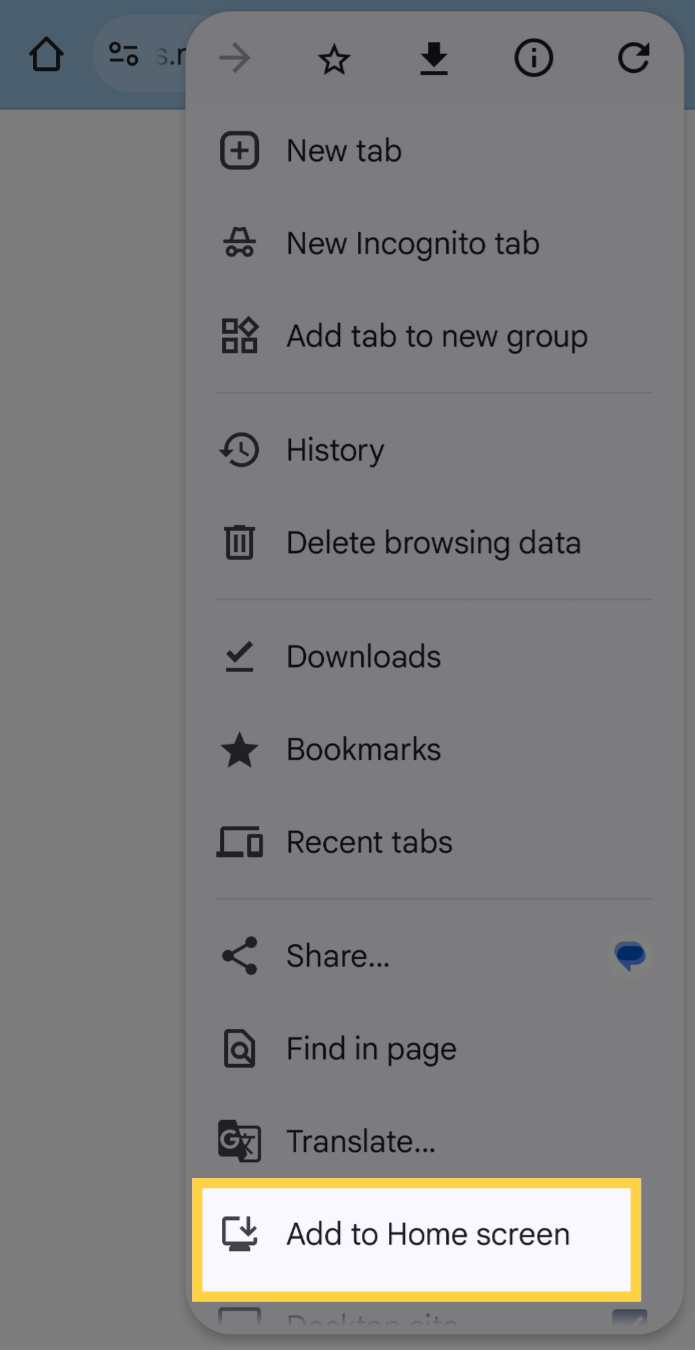
Find Add to Home Screen in the menu and click it.
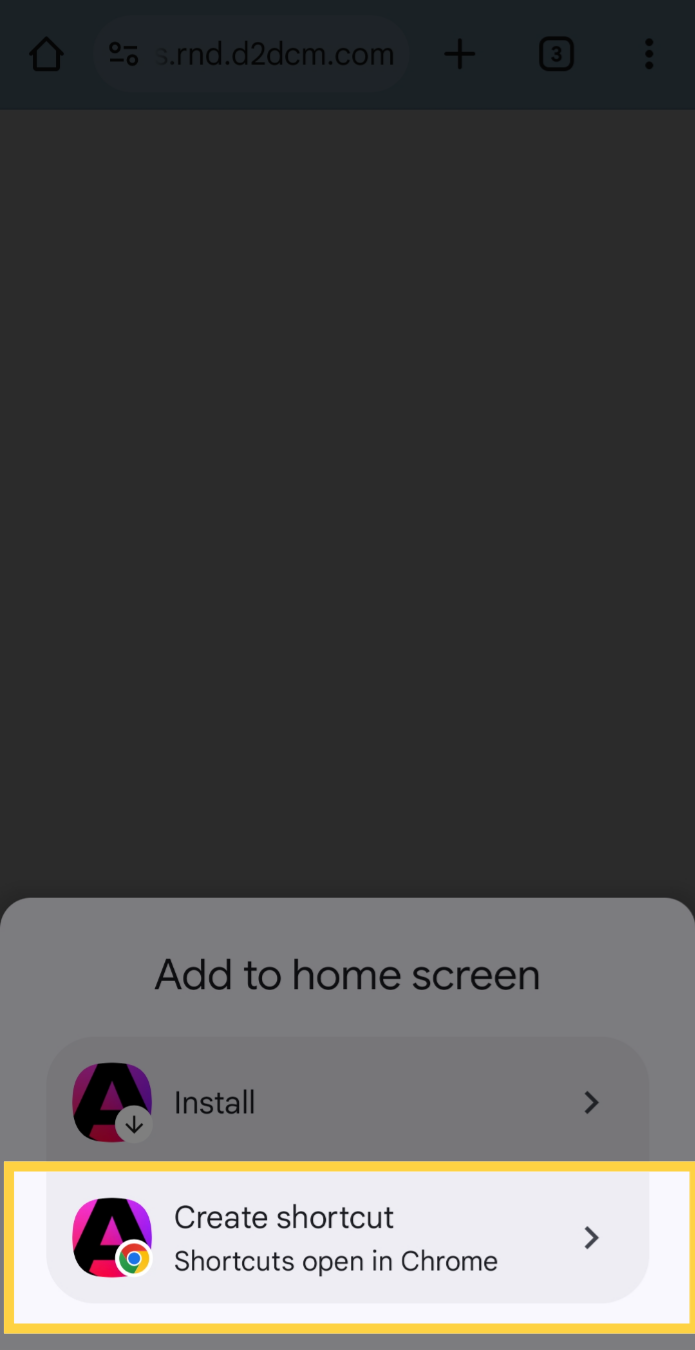
5. Choose Create Shortcut
Click on the Create Shortcut option
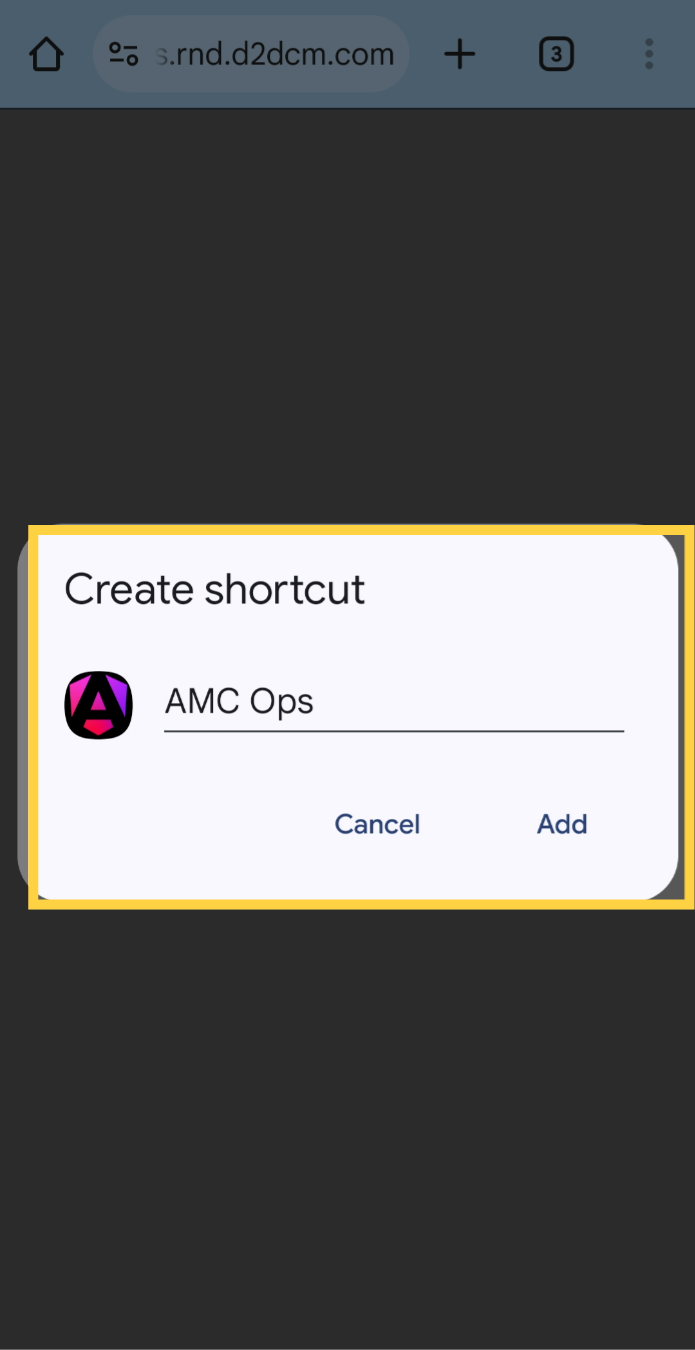
6. Name Shortcut and Add
If you wish to change the name displayed on your home screen, you can edit it at this time. When you are ready, click Add, and the icon will now appear along with the rest of your apps.
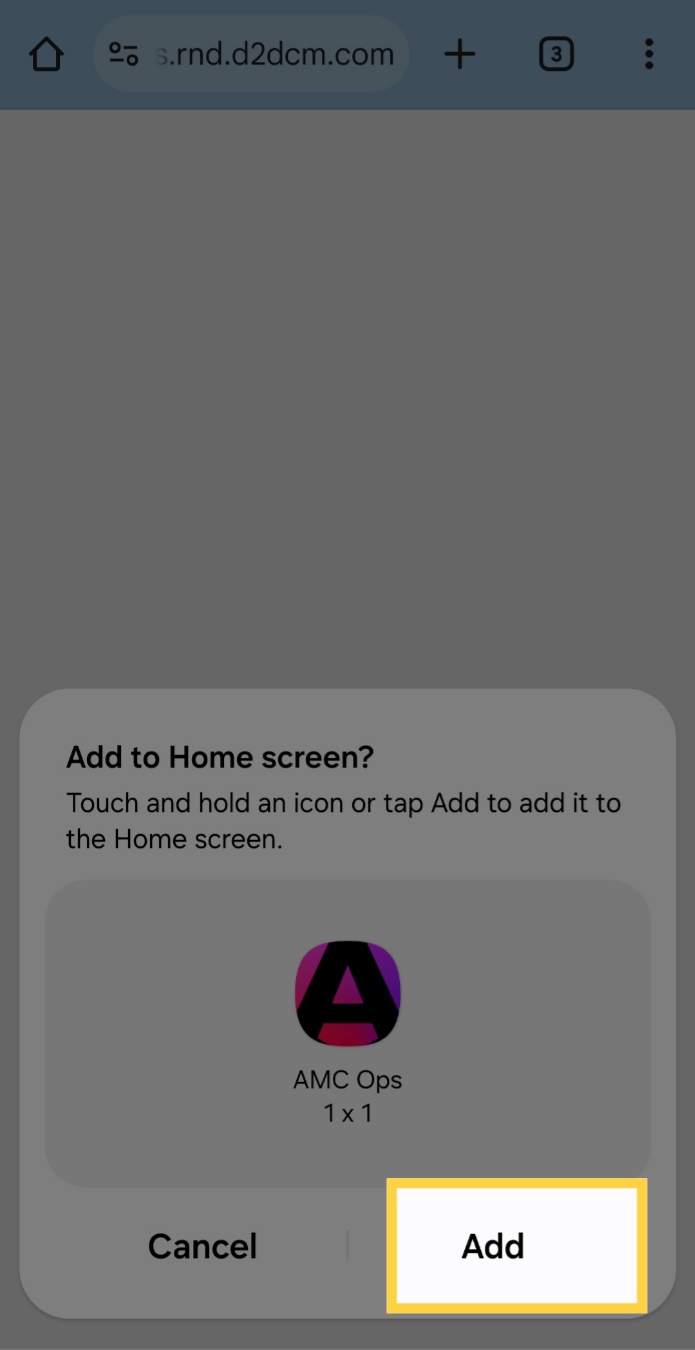
7. Click Add
Click Add to confirm you wish to add to the home screen
8. Thank you
If you have any additional questions, please contact Dot2Dot for assistance.
Comments
0 comments
Please sign in to leave a comment.